


Telegram to Airtable, local leads ready to contact

You find a decent local lead idea, then the busywork starts. Search, copy names, grab addresses, skim the news, paste it all into a spreadsheet, and hope you remember why you saved it.
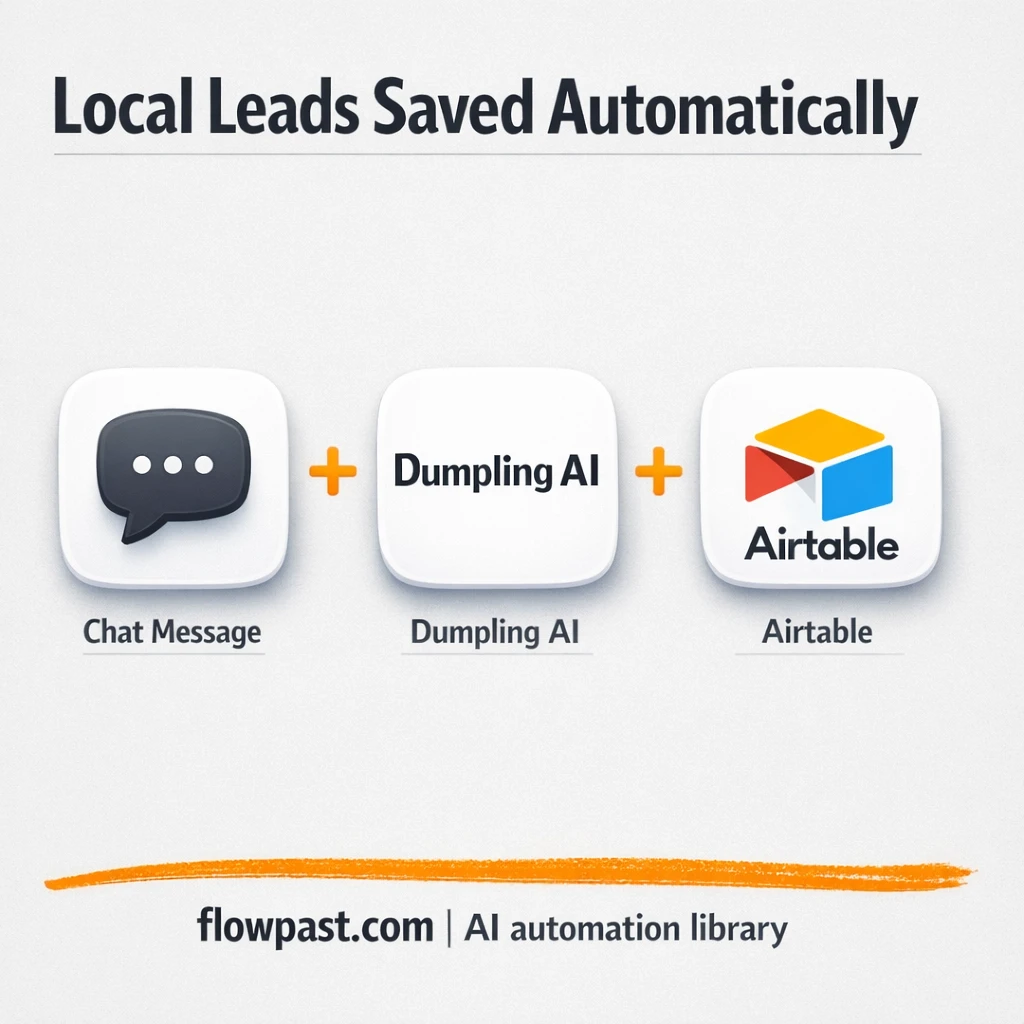
This Telegram Airtable leads automation hits digital marketers first, but VAs and lead gen agencies feel it too. You send one message and get clean, enriched local leads saved to Airtable, ready for outreach with context that actually helps.
Below is what the workflow does, what you get out of it, and how to make it fit your niche or city in a few quick edits.
How This Automation Works
The full n8n workflow, from trigger to final output:
n8n Workflow Template: Telegram to Airtable, local leads ready to contact
flowchart LR

    subgraph sg0["When chat message received Flow"]
        direction LR
        n0@{ icon: "mdi:play-circle", form: "rounded", label: "When chat message received", pos: "b", h: 48 }
        n1@{ icon: "mdi:wrench", form: "rounded", label: "News Agent", pos: "b", h: 48 }
        n2@{ icon: "mdi:wrench", form: "rounded", label: "Local Business Finder Agent", pos: "b", h: 48 }
        n3@{ icon: "mdi:memory", form: "rounded", label: "Track Last 10 Messages ", pos: "b", h: 48 }
        n4@{ icon: "mdi:robot", form: "rounded", label: "Route AI Tasks with Dumpling..", pos: "b", h: 48 }
        n5@{ icon: "mdi:brain", form: "rounded", label: "Process Input with GPT-4o Mini", pos: "b", h: 48 }
        n6@{ icon: "mdi:database", form: "rounded", label: "Save Business Results", pos: "b", h: 48 }
        n1 -.-> n4
        n6 -.-> n4
        n3 -.-> n4
        n0 --> n4
        n2 -.-> n4
        n5 -.-> n4
    end

    %% Styling
    classDef trigger fill:#e8f5e9,stroke:#388e3c,stroke-width:2px
    classDef ai fill:#e3f2fd,stroke:#1976d2,stroke-width:2px
    classDef aiModel fill:#e8eaf6,stroke:#3f51b5,stroke-width:2px
    classDef decision fill:#fff8e1,stroke:#f9a825,stroke-width:2px
    classDef database fill:#fce4ec,stroke:#c2185b,stroke-width:2px
    classDef api fill:#fff3e0,stroke:#e65100,stroke-width:2px
    classDef code fill:#f3e5f5,stroke:#7b1fa2,stroke-width:2px
    classDef disabled stroke-dasharray: 5 5,opacity: 0.5
    class n0 trigger
    class n4 ai
    class n5 aiModel
    class n1,n2 ai
    class n3 ai
    class n6 database
The Problem: Local lead research is slow and inconsistent
Local lead research sounds simple until you do it every day. You search for businesses in a city, open too many tabs, and copy details into “somewhere you’ll remember later.” Then you realize you also need a reason to reach out, so you scan local or industry news and try to connect the dots in a sentence that doesn’t feel spammy. One missed field means a dead-end follow-up. One sloppy paste means duplicates. And when you want to scale beyond a handful of leads, the whole process turns into a time sink you quietly avoid.
The friction compounds. Here’s where it breaks down.
- Finding five solid businesses in one city can burn about an hour once you include verification and cleanup.
- Lead lists end up inconsistent, so outreach gets generic and replies drop off fast.
- News “context” becomes a separate research task, which means you skip it when you’re busy.
- Without a structured database like Airtable, duplicates and missing fields quietly pile up.
The Solution: Message Telegram, get enriched leads in Airtable
This workflow turns one Telegram message into a clean set of local business leads, enriched with relevant news, then saves everything to Airtable in a consistent format. You prompt it with something like “List 5 top real estate companies in Atlanta with full address and services,” and the automation uses a dedicated Local Business Agent to return structured leads. In the same run, it calls a News Agent to pull current headlines and summaries tied to the industry or region you asked for. Then GPT-4o (via an OpenAI chat model node) merges the two into a human-readable summary you can actually use for outreach. Finally, an Airtable upsert writes or updates the business record so your table stays clean over time.
The workflow starts in Telegram, so it feels like texting yourself a task. Dumpling AI handles the “find” and “what’s happening lately” parts. OpenAI ties it together, and Airtable becomes your single source of truth for follow-up.
What You Get: Automation vs. Results
| What This Workflow Automates | Results You’ll Get |
|---|---|
|
|
Example: What This Looks Like
Say you want 5 new local leads each weekday for “dentists in Phoenix.” Manually, you might spend about 8 minutes per business to find it, confirm basics, and paste details, plus another 20 minutes skimming news for a usable angle. That’s roughly an hour per day. With this workflow, you send one Telegram message (a minute), wait a few minutes for the agents and GPT processing, and the leads land in Airtable already summarized. You get that hour back, and your list is cleaner.
What You’ll Need
- n8n instance (try n8n Cloud free)
- Self-hosting option if you prefer (Hostinger works well)
- Telegram to send the lead request message
- Airtable to store and update lead records
- Dumpling AI Agent Keys (get them from your Dumpling AI agent settings)
- OpenAI API key (get it from the OpenAI API dashboard)
Skill level: Intermediate. You’ll paste API keys, connect Telegram and Airtable, and match Airtable fields to your table columns.
Don’t want to set this up yourself? Talk to an automation expert (free 15-minute consultation).
How It Works
A Telegram message kicks it off. You send a prompt that includes the city and business type (and optionally how many leads you want). The Telegram trigger passes that text into the workflow so you can reuse the same automation for any market.
Two AI lookups run in parallel. One HTTP-based tool calls your Dumpling AI Local Business Agent to return a structured list of businesses. Another calls the News Agent, which brings back current headlines and summaries that match the location or industry.
GPT combines and cleans the output. The OpenAI chat model node turns “raw lead list + news snippets” into something readable, then extracts key fields like business name, category, and city so Airtable stays sortable.
Airtable becomes the handoff point. The Airtable upsert writes each lead and the summary into your base, updating existing records when it finds a match. No more “version 6” spreadsheets.
You can easily modify the prompts to focus on a different niche, add more fields, or change the output format for your outreach style. See the full implementation guide below for customization options.
Step-by-Step Implementation Guide
Step 1: Configure the Chat Trigger
Set up the workflow to start when a new chat message arrives.
- Add the Incoming Chat Trigger node as your trigger.
- Keep default options in Incoming Chat Trigger unless you need custom behavior.
- Connect Incoming Chat Trigger to Orchestrate AI Tasks.
Step 2: Set Up AI Orchestration
Configure the AI agent to coordinate tools, memory, and the language model.
- Open Orchestrate AI Tasks and set System Message to
You are a helpful assistant\nUse the Local Business Finder Agent HTTP request tool to find local business\n\nUse the News agent HTTP request tool to get get news\n\nUse the Create and update Airtable tool to send results from the Local Business Finder Agent HTTP request tool. - Attach Session Memory Window to Orchestrate AI Tasks as the memory tool.
- Attach GPT Mini Processor to Orchestrate AI Tasks as the language model.
Step 3: Configure AI Tools for News and Business Lookup
Set up the HTTP request tools that the agent will call to fetch external data.
- In News Lookup Tool, set URL to
https://app.dumplingai.com/api/v1/agents/generate-completionand Method toPOST. - In News Lookup Tool, set JSON Body to
={
"messages": [
{
"role": "user",
"content":"{{ $json.chatInput}}"
}
],
"agentId": "",
"parseJson": "True"
}
. - In Business Finder Tool, set URL to
https://app.dumplingai.com/api/v1/agents/generate-completionand Method toPOST. - In Business Finder Tool, set JSON Body to
={
"messages": [
{
"role": "user",
"content":"{{ $json.chatInput}}"
}
],
"agentId": "",
"parseJson": "false"
}
. - Credential Required: Connect your
httpHeaderAuthcredentials in News Lookup Tool and Business Finder Tool.
Step 4: Configure Airtable Upsert Output
Define how the AI results are written into Airtable.
- Open Airtable Business Upsert and set Operation to
upsert. - Select your Airtable Base and Table (currently showing cached names
Testing n8nandLocal business). - Keep the column mappings as expressions, such as Name of Restaurant set to
={{ /*n8n-auto-generated-fromAI-override*/ $fromAI('Name_of_Restaurant', ``, 'string') }}and Rating set to={{ /*n8n-auto-generated-fromAI-override*/ $fromAI('Rating', ``, 'number') }}. - Credential Required: Connect your
airtableTokenApicredentials in Airtable Business Upsert.
Step 5: Configure the Language Model
Ensure the AI agent has a valid OpenAI model to use.
- Open GPT Mini Processor and set Model to
gpt-4o-mini. - Credential Required: Connect your
openAiApicredentials in GPT Mini Processor. - Confirm GPT Mini Processor is connected to Orchestrate AI Tasks as the language model.
Step 6: Test and Activate Your Workflow
Run a full test to confirm the chat input triggers AI processing and Airtable updates.
- Click Execute Workflow and send a test chat message to Incoming Chat Trigger.
- Verify Orchestrate AI Tasks calls News Lookup Tool and Business Finder Tool, and writes to Airtable Business Upsert.
- Check Airtable for new or updated records with fields like Name of Restaurant, Rating, and Website.
- Once verified, toggle the workflow to Active for production use.
Common Gotchas
- Dumpling AI credentials can expire or need specific permissions. If things break, check your agent keys and header values in the HTTP tool configuration first.
- If you’re using Wait nodes or external rendering, processing times vary. Bump up the wait duration if downstream nodes fail on empty responses.
- Default prompts in AI nodes are generic. Add your brand voice early or you’ll be editing outputs forever.
Frequently Asked Questions
About 30 minutes if your accounts and keys are ready.
No coding required. You’ll connect accounts, paste agent keys, and map Airtable fields once.
Yes. n8n has a free self-hosted option and a free trial on n8n Cloud. Cloud plans start at $20/month for higher volume. You’ll also need to factor in OpenAI and Dumpling AI usage, which varies based on how many lead requests you run.
Two options: n8n Cloud (managed, easiest setup) or self-hosting on a VPS. For self-hosting, Hostinger VPS is affordable and handles n8n well. Self-hosting gives you unlimited executions but requires basic server management.
Yes, and it’s mostly prompt work. Change the text you send in Telegram (city, niche, number of leads), then adjust the agent prompts inside the Business Finder Tool and News Lookup Tool to keep the output consistent. Common customizations include adding phone/website fields, requesting “best fit” criteria (like “serves commercial clients”), and changing the GPT summary into an outreach-ready opener.
Usually it’s a bot setup issue or the wrong chat permissions. Confirm your Telegram trigger is listening to the correct bot and chat, then re-check the credential in n8n and send a fresh test message. If the trigger fires but nothing else runs, the message text may be empty or not being passed into the agent prompt the way you expect.
It comfortably handles small batches like 5–25 leads per request.
For AI-heavy lead gen, n8n is often the better fit because you can keep the logic in one place and avoid paying extra for branching and higher task volume. It also gives you the option to self-host, which matters once you start running this daily. Zapier and Make can still work if you want a quick prototype, but you may hit limits once you add memory, multi-step AI processing, and upserts into Airtable. Also, troubleshooting is easier when everything is visible in one workflow. Talk to an automation expert if you want help choosing.
Once this is in place, lead research becomes a quick message instead of a mini project. The workflow does the collecting and organizing, so you can spend your time on outreach that actually converts.
Need Help Setting This Up?
Our automation experts can build and customize this workflow for your specific needs. Free 15-minute consultation—no commitment required.
