


Asana + Slack: client onboarding without missed steps
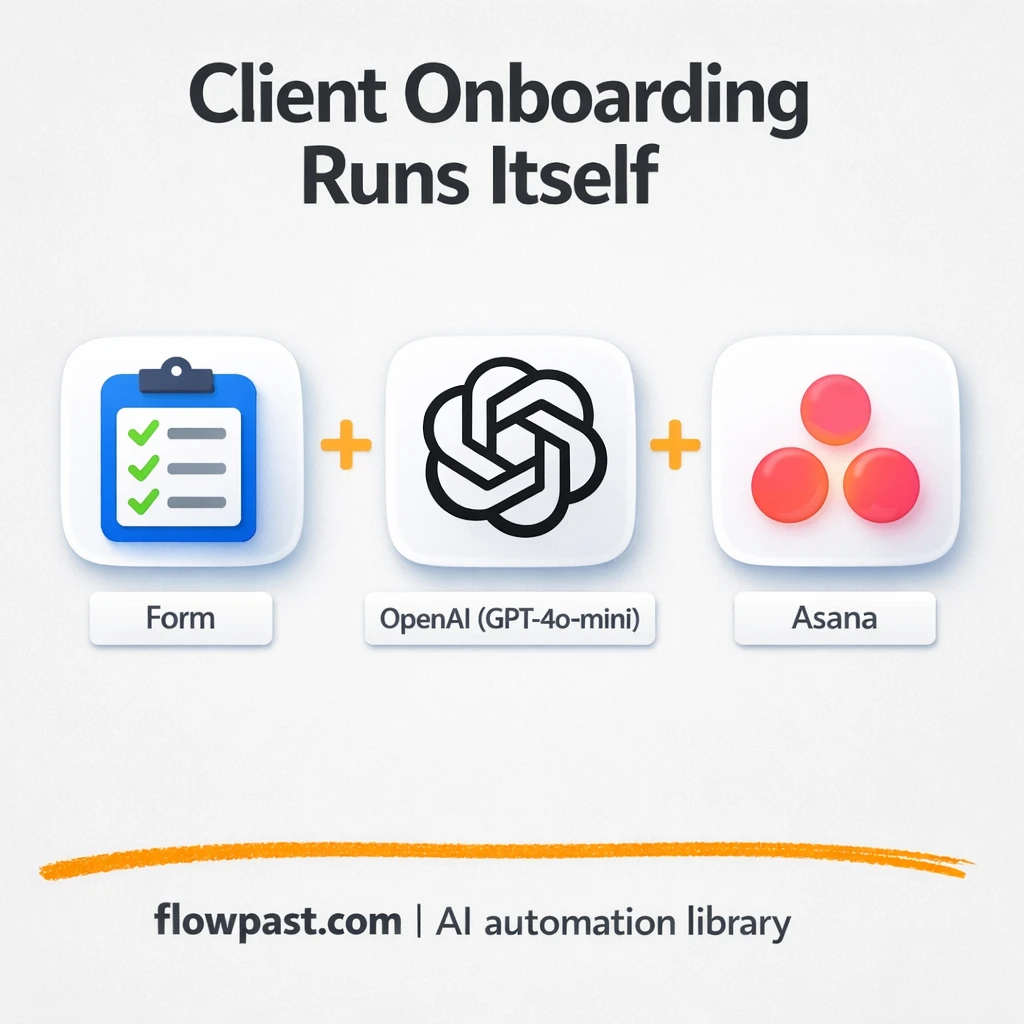

Client onboarding tends to break in the boring places. Someone forgets to create the Asana project. A Slack channel is made late (or named wrong). The “welcome” email goes out after the client is already asking, “What’s next?”
This Asana Slack onboarding automation hits agency owners and client success leads hardest, but ops folks running delivery feel it too. You get a consistent setup every time: tasks, files, channel, and a proper welcome, without rebuilding the wheel for each new client.
Below, you’ll see exactly what the workflow does, what you need, and what kind of time it gives back once it’s running.
How This Automation Works
The full n8n workflow, from trigger to final output:
n8n Workflow Template: Asana + Slack: client onboarding without missed steps
flowchart LR

    subgraph sg0["On form submission Flow"]
        direction LR
        n0@{ icon: "mdi:message-outline", form: "rounded", label: "Send Welcome Email", pos: "b", h: 48 }
        n1["<div style='background:#f5f5f5;padding:10px;border-radius:8px;display:inline-block;border:1px solid #e0e0e0'><img src='https://flowpast.com/wp-content/uploads/n8n-workflow-icons/form.svg' width='40' height='40' /></div><br/>On form submission"]
        n2["<div style='background:#f5f5f5;padding:10px;border-radius:8px;display:inline-block;border:1px solid #e0e0e0'><img src='https://flowpast.com/wp-content/uploads/n8n-workflow-icons/slack.svg' width='40' height='40' /></div><br/>Slack | Create Channel"]
        n3["<div style='background:#f5f5f5;padding:10px;border-radius:8px;display:inline-block;border:1px solid #e0e0e0'><img src='https://flowpast.com/wp-content/uploads/n8n-workflow-icons/slack.svg' width='40' height='40' /></div><br/>Slack | Post Message"]
        n4@{ icon: "mdi:brain", form: "rounded", label: "OpenAI Chat Model", pos: "b", h: 48 }
        n5@{ icon: "mdi:robot", form: "rounded", label: "Segment Tasks", pos: "b", h: 48 }
        n6@{ icon: "mdi:robot", form: "rounded", label: "Structured Output Parser", pos: "b", h: 48 }
        n7@{ icon: "mdi:swap-vertical", form: "rounded", label: "Split Out1", pos: "b", h: 48 }
        n8@{ icon: "mdi:swap-vertical", form: "rounded", label: "Loop Over Items", pos: "b", h: 48 }
        n9@{ icon: "mdi:swap-vertical", form: "rounded", label: "Rename Doc", pos: "b", h: 48 }
        n10@{ icon: "mdi:cog", form: "rounded", label: "Extract from File", pos: "b", h: 48 }
        n11@{ icon: "mdi:swap-vertical", form: "rounded", label: "Rename Folder ID", pos: "b", h: 48 }
        n12@{ icon: "mdi:cog", form: "rounded", label: "Create Main Client Folder", pos: "b", h: 48 }
        n13["<div style='background:#f5f5f5;padding:10px;border-radius:8px;display:inline-block;border:1px solid #e0e0e0'><img src='https://flowpast.com/wp-content/uploads/n8n-workflow-icons/asana.svg' width='40' height='40' /></div><br/>Asana | Create Project"]
        n14["<div style='background:#f5f5f5;padding:10px;border-radius:8px;display:inline-block;border:1px solid #e0e0e0'><img src='https://flowpast.com/wp-content/uploads/n8n-workflow-icons/asana.svg' width='40' height='40' /></div><br/>Asana | Create Task"]
        n9 --> n12
        n7 --> n8
        n5 --> n7
        n8 --> n2
        n8 --> n14
        n11 --> n13
        n10 --> n9
        n4 -.-> n5
        n1 --> n10
        n14 --> n8
        n3 --> n0
        n13 --> n5
        n2 --> n3
        n6 -.-> n5
        n12 --> n11
    end

    %% Styling
    classDef trigger fill:#e8f5e9,stroke:#388e3c,stroke-width:2px
    classDef ai fill:#e3f2fd,stroke:#1976d2,stroke-width:2px
    classDef aiModel fill:#e8eaf6,stroke:#3f51b5,stroke-width:2px
    classDef decision fill:#fff8e1,stroke:#f9a825,stroke-width:2px
    classDef database fill:#fce4ec,stroke:#c2185b,stroke-width:2px
    classDef api fill:#fff3e0,stroke:#e65100,stroke-width:2px
    classDef code fill:#f3e5f5,stroke:#7b1fa2,stroke-width:2px
    classDef disabled stroke-dasharray: 5 5,opacity: 0.5
    class n1 trigger
    class n5,n6 ai
    class n4 aiModel
    classDef customIcon fill:none,stroke:none
    class n1,n2,n3,n13,n14 customIcon
The Problem: Onboarding falls apart in the handoffs
Onboarding is supposed to feel smooth. In reality, it’s a chain of small manual steps spread across tools, tabs, and people. You collect details in a form, then someone downloads a PDF, makes a Drive folder, creates an Asana project, adds tasks, creates a Slack channel, posts instructions, and finally sends a welcome email. That “finally” is the problem. When setup takes half a day, clients sit in limbo and your team starts delivery without a shared plan.
The friction compounds. A missed step early turns into confusion later.
- Each new client triggers about 30–60 minutes of repetitive setup across Drive, Asana, and Slack.
- Projects start with vague tasks because nobody has time to translate a scope PDF into real onboarding steps.
- Slack gets messy fast when channel names, intros, and next steps aren’t standardized.
- Clients notice delays immediately, and you spend the first week “resetting expectations” instead of delivering.
The Solution: One form submission creates the whole onboarding kit
This workflow starts with a client onboarding form in n8n. The client submits their name, email, company details, website, and a proposal or scope PDF. n8n pulls the PDF content, cleans up and labels the project data, then creates a dedicated Google Drive folder and stores the uploaded document inside it. Next, it creates a new Asana project from your template, uses an OpenAI agent (GPT-4o-mini) to turn that proposal into 20–30 practical onboarding tasks, and adds them into Asana with assignments and due dates (weekends roll to the next business day). After that, it provisions a client Slack channel named from the company, posts a welcome message with next steps, and sends a personalized welcome email with the key links.
The workflow begins when the form is submitted. AI turns the scope into a structured task list, then n8n fans those tasks out in batches so Asana and Slack get populated reliably. The client gets confirmation quickly, and your team sees a ready-to-run workspace.
What You Get: Automation vs. Results
| What This Workflow Automates | Results You’ll Get |
|---|---|
|
|
Example: What This Looks Like
Say you onboard 4 new clients in a month. Manually, a typical setup is about 10 minutes to handle the PDF and create a Drive folder, 20 minutes to create an Asana project and seed tasks, 10 minutes to create and configure Slack, and another 10 minutes to write a welcome email. That’s roughly 50 minutes per client, or about 3 hours monthly. With this workflow, you spend maybe 5 minutes reviewing the form submission and glancing at the generated tasks, while the rest runs in the background.
What You’ll Need
- n8n instance (try n8n Cloud free)
- Self-hosting option if you prefer (Hostinger works well)
- Asana to create projects and onboarding tasks
- Slack to provision channels and post welcomes
- Google Drive for client folders and file storage
- Gmail (or SMTP email) to send the welcome email
- OpenAI API key (get it from your OpenAI dashboard)
Skill level: Intermediate. You’ll connect a few accounts (OAuth), choose the right Asana template, and test with a real-looking sample submission.
Don’t want to set this up yourself? Talk to an automation expert (free 15-minute consultation).
How It Works
Form submission kicks it off. A client fills in the onboarding form and uploads their proposal or scope PDF. n8n captures the details so you don’t have to retype anything.
The PDF is turned into usable inputs. The workflow extracts text from the uploaded file, then uses simple formatting steps to label the project and keep naming consistent across tools. This is also where you can enforce your internal naming conventions, which is honestly half the battle.
AI generates the task plan in Asana. An OpenAI agent parses the scope and produces a structured list of onboarding tasks (20–30). n8n then loops through them in batches and creates them inside the new Asana project based on your template, including due dates and assignments.
Slack and email make it client-ready. A dedicated Slack channel is created using the company name, a welcome message is posted with next steps, and a personalized welcome email goes out with the Drive folder link, Asana access, and your call scheduler link.
You can easily modify the task prompts to match your delivery process, or swap the form trigger for Stripe/DocuSign later based on your needs. See the full implementation guide below for customization options.
Step-by-Step Implementation Guide
Step 1: Configure the Form Trigger
Set up the intake form that initiates the onboarding flow and sends uploaded files into the parsing pipeline.
- Add and configure Form Intake Trigger as your entry point.
- Define the form fields and ensure an upload field is included for client documents.
- Connect Form Intake Trigger to Parse Uploaded File to pass the submitted file into the workflow.
Step 2: Connect Google Drive
Create a client folder and map its identifier for downstream project setup.
- Configure Generate Client Folder to create a folder in Google Drive for each new client.
- Connect Label Document to Generate Client Folder so file metadata is available when creating the folder.
- Set up Map Folder Identifier to capture and normalize the folder ID for use in later nodes.
- Link Generate Client Folder to Map Folder Identifier, and then to Asana Project Setup to pass the folder ID into project creation.
Step 3: Set Up Task Segmentation Agent
Use AI to segment onboarding tasks based on the parsed intake data.
- Configure Task Segmentation Agent to accept structured inputs from onboarding data.
- Connect OpenAI Chat Engine as the language model for Task Segmentation Agent.
- Attach Structured Output Reader as the output parser for Task Segmentation Agent to enforce predictable JSON responses.
- Ensure Asana Project Setup feeds into Task Segmentation Agent so project context is included in task generation.
Step 4: Configure Output and Collaboration Actions
Split tasks, iterate through items, create Asana tasks, provision Slack, and notify the client.
- Connect Task Segmentation Agent to Distribute Items so AI output is split into discrete tasks.
- Connect Distribute Items to Iterate Item Batch to process each task in batches.
- Route Iterate Item Batch to Asana Task Creation for task creation and to Slack Channel Provision to create a new collaboration channel.
- Chain Slack Channel Provision → Slack Message Dispatch → Dispatch Welcome Email to notify internal teams and the client.
Step 5: Test and Activate Your Workflow
Run a full onboarding simulation to verify every stage from intake to notifications.
- Use Form Intake Trigger to submit a test form with a sample document.
- Confirm that Parse Uploaded File and Label Document successfully extract and set fields.
- Verify Generate Client Folder creates a Drive folder and Map Folder Identifier passes the ID to Asana Project Setup.
- Check that tasks are created by Asana Task Creation, Slack channel and message are sent via Slack Channel Provision and Slack Message Dispatch, and the email is sent by Dispatch Welcome Email.
- When satisfied, switch the workflow to Active for production use.
Common Gotchas
- Asana credentials can expire or lack workspace permissions. If projects aren’t created, check the connected Asana account in n8n credentials and confirm it can access the template’s workspace.
- If you’re using Wait nodes or external rendering, processing times vary. Bump up the wait duration if downstream nodes fail on empty responses.
- Default prompts in AI nodes are generic. Add your brand voice early or you’ll be editing outputs forever.
Frequently Asked Questions
About 45 minutes if your accounts and templates are ready.
No. You’ll mostly connect accounts and paste in the OpenAI API key.
Yes. n8n has a free self-hosted option and a free trial on n8n Cloud. Cloud plans start at $20/month for higher volume. You’ll also need to factor in OpenAI API costs (usually a few cents per onboarding, depending on PDF length and prompt size).
Two options: n8n Cloud (managed, easiest setup) or self-hosting on a VPS. For self-hosting, Hostinger VPS is affordable and handles n8n well. Self-hosting gives you unlimited executions but requires basic server management.
Yes, but you’ll change the trigger. Replace the n8n Form trigger with a Stripe “payment succeeded” (or PayPal) trigger, then map the incoming customer fields into the same “Label Document” and “Asana Project Setup” steps. Common customizations include changing the Slack welcome message, swapping the Asana template per service tier, and adding a Google Sheets row for reporting.
Usually it’s permissions. Confirm the connected Asana user can access the workspace and the specific project template, then re-authenticate the Asana credential in n8n if the token is stale. If the project creates but tasks don’t, check that task creation is pointing to the newly created project ID and not a hardcoded placeholder.
A lot. On n8n Cloud Starter you’re typically fine for small teams onboarding dozens of clients a month, and higher plans support more volume. If you self-host, there’s no execution limit, but your server size sets the real ceiling. The heavier part is PDF extraction and the AI task generation, so very large PDFs can slow things down.
For this specific flow, n8n is usually the better fit because you need branching, file handling (PDF extraction), and looping over 20–30 AI-generated tasks without paying “per step” pain. Zapier or Make can do parts of it, but the moment you add AI parsing plus batch task creation, it gets fiddly and expensive. n8n also gives you the self-hosted option, which matters when you scale. That said, if you only want “form submission → create Slack channel,” those tools are quick. Talk to an automation expert if you want a recommendation for your exact setup.
Once this is set up, onboarding becomes boring in the best way. The workflow handles the repetitive setup so your team can start the relationship with clarity instead of cleanup.
Need Help Setting This Up?
Our automation experts can build and customize this workflow for your specific needs. Free 15-minute consultation—no commitment required.
