


Firecrawl + OpenAI, competitor insights on demand
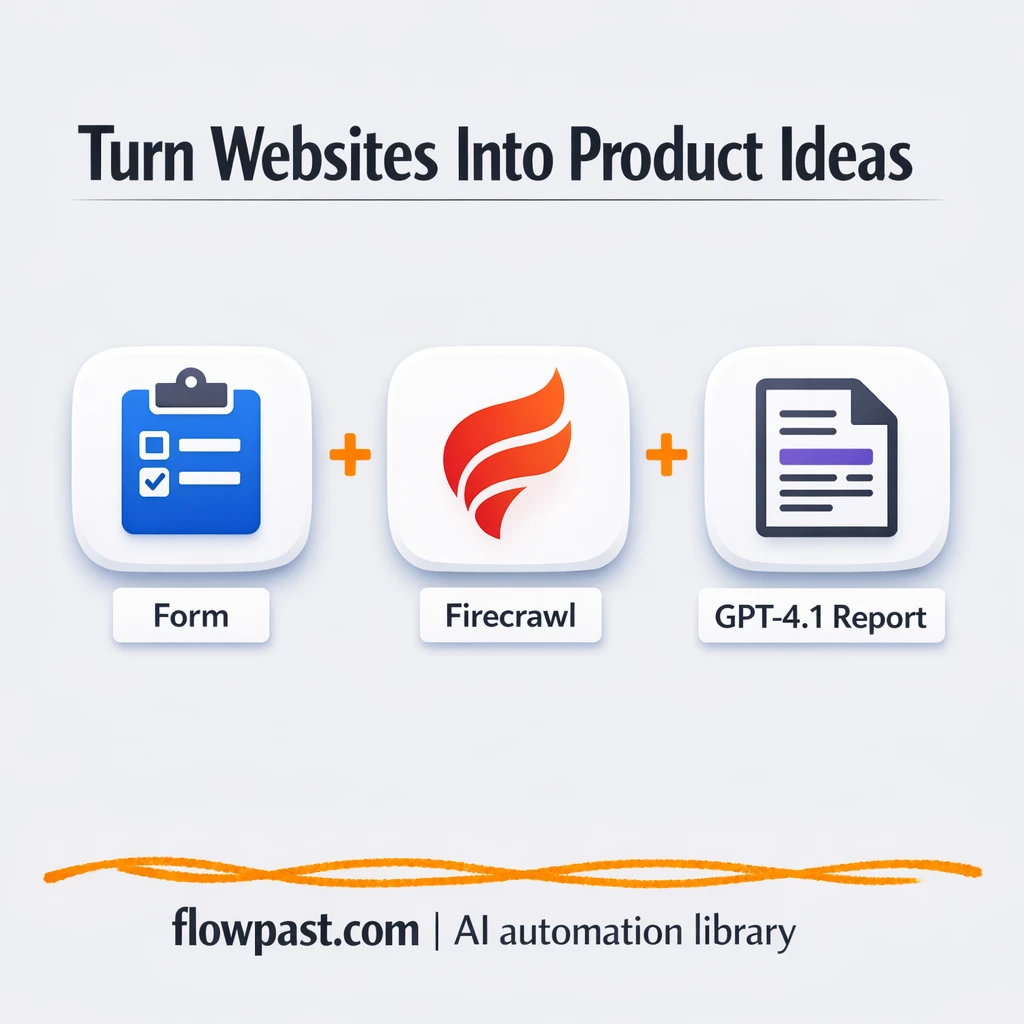

You open a competitor’s site to “do a quick review,” then 40 minutes later you have 18 tabs, a few half-written notes, and no clean takeaway you can actually share.
Marketing managers feel it during campaign planning. Agency strategists hit it when they’re prepping a pitch. And founders doing their own research get stuck in the same loop. This competitor insights automation turns one URL into a structured breakdown and a set of product or positioning ideas you can use.
You’ll see what the workflow does end-to-end, what you need to run it, and how to adapt the output so it fits your team’s process.
How This Automation Works
Here’s the complete workflow you’ll be setting up:
n8n Workflow Template: Firecrawl + OpenAI, competitor insights on demand
flowchart LR

    subgraph sg0["On form submission Flow"]
        direction LR
        n0["<div style='background:#f5f5f5;padding:10px;border-radius:8px;display:inline-block;border:1px solid #e0e0e0'><img src='https://flowpast.com/wp-content/uploads/n8n-workflow-icons/form.svg' width='40' height='40' /></div><br/>On form submission"]
        n1["<div style='background:#f5f5f5;padding:10px;border-radius:8px;display:inline-block;border:1px solid #e0e0e0'><img src='https://flowpast.com/wp-content/uploads/n8n-workflow-icons/httprequest.dark.svg' width='40' height='40' /></div><br/>Scrape Website Content"]
        n2@{ icon: "mdi:robot", form: "rounded", label: "AI Agent", pos: "b", h: 48 }
        n3@{ icon: "mdi:brain", form: "rounded", label: "OpenAI Chat Model", pos: "b", h: 48 }
        n4["<div style='background:#f5f5f5;padding:10px;border-radius:8px;display:inline-block;border:1px solid #e0e0e0'><img src='https://flowpast.com/wp-content/uploads/n8n-workflow-icons/html.dark.svg' width='40' height='40' /></div><br/>View the result in HTML"]
        n2 --> n4
        n3 -.-> n2
        n0 --> n1
        n1 --> n2
    end

    %% Styling
    classDef trigger fill:#e8f5e9,stroke:#388e3c,stroke-width:2px
    classDef ai fill:#e3f2fd,stroke:#1976d2,stroke-width:2px
    classDef aiModel fill:#e8eaf6,stroke:#3f51b5,stroke-width:2px
    classDef decision fill:#fff8e1,stroke:#f9a825,stroke-width:2px
    classDef database fill:#fce4ec,stroke:#c2185b,stroke-width:2px
    classDef api fill:#fff3e0,stroke:#e65100,stroke-width:2px
    classDef code fill:#f3e5f5,stroke:#7b1fa2,stroke-width:2px
    classDef disabled stroke-dasharray: 5 5,opacity: 0.5
    class n0 trigger
    class n2 ai
    class n3 aiModel
    class n1 api
    classDef customIcon fill:none,stroke:none
    class n0,n1,n4 customIcon
Why This Matters: Competitor Research That Actually Gets Used
Manual competitor research usually fails for one boring reason: it’s not repeatable. One person screenshots pricing, another skims the homepage, someone else pastes random lines into a doc, and by the time you want to compare two brands side by side, you’re rebuilding the whole thing from scratch. It also creates a weird mental tax. You’re trying to “analyze” while you’re still collecting information, which is how you end up with vague conclusions like “their messaging is strong.” Strong how? For who?
It adds up fast. Here’s where it breaks down in real life:
- You spend about 30 minutes per site just finding the important pages (features, pricing, use cases, proof).
- Notes end up unstructured, so sharing them internally becomes a second project.
- Two people can review the same site and come back with totally different “insights,” which means the team debates opinions instead of evidence.
- When you need fresh angles for ads, landing pages, or product positioning, you restart the whole research loop again.
What You’ll Build: A URL-to-Report Competitor Analyzer
This workflow takes a single website URL and turns it into a clear, readable report. You submit the URL through an n8n form trigger (the template uses a manual form, but you can swap in a webhook later). n8n sends that URL to Firecrawl, which crawls the site and returns structured content like page text, metadata, and the general layout of what’s on the site. Then an OpenAI-powered agent analyzes that scraped data using your prompt, summarizing what the company does and generating product ideas or strategic angles based on what it finds. Finally, n8n renders everything into an HTML output so you can skim it quickly or paste it into a doc, email, or internal channel.
The workflow starts with one URL. Firecrawl does the heavy lifting of collecting and cleaning the website content. OpenAI turns that content into decisions: a summary you can share, plus ideas you can test.
What You’re Building
| What Gets Automated | What You’ll Achieve |
|---|---|
|
|
Expected Results
Say you review 5 competitor sites before a positioning workshop. Manually, even a “quick” pass is about 45 minutes per site once you open pages, take notes, and write a clean summary, so you’re looking at roughly 4 hours. With this workflow, you can submit 5 URLs in about 10 minutes total, then wait while Firecrawl + OpenAI processes each one (often around 5–10 minutes per site). You still review the output, but you’re reviewing a report, not hunting for information.
Before You Start
- n8n instance (try n8n Cloud free)
- Self-hosting option if you prefer (Hostinger works well)
- Firecrawl for crawling and extracting website content
- OpenAI to generate summaries and product ideas
- Firecrawl API key (get it from your Firecrawl dashboard)
Skill level: Beginner. You’ll mostly paste API keys, test one URL, and adjust the prompt to match what you want to learn.
Want someone to build this for you? Talk to an automation expert (free 15-minute consultation).
Step by Step
You submit a URL. The workflow starts with an n8n form trigger where you paste a competitor or reference website. Keep it to real pages (homepages, landing pages, pricing pages). Garbage in, garbage out.
The site content gets collected and cleaned. n8n sends the URL into Firecrawl through an HTTP request. Firecrawl crawls and returns structured text and metadata so you’re not scraping manually or copying chunks into a doc.
AI turns the crawl into insights. An AI Agent powered by the OpenAI Chat Model reads the Firecrawl output and produces a summary of what the company does, who it targets, and what angles stand out. The same step can also generate product ideas based on gaps, adjacent markets, or positioning.
A report is rendered for sharing. The workflow formats the response as HTML output, which is easy to skim and easy to paste into an internal wiki, an email, or a client deliverable.
You can easily modify the analysis prompt to focus on pricing, UX critique, or ad angles based on your needs. See the full implementation guide below for customization options.
Step-by-Step Implementation Guide
Step 1: Configure the Form Trigger
This workflow starts when a user submits a URL through a form.
- Add the Incoming Form Trigger node as the workflow trigger.
- Set Form Title to
Website URL. - In Form Fields, add a field with Field Label
urland Placeholderhttps://tenwasap.com.
Step 2: Connect Firecrawl and Fetch Website Content
The workflow pulls site content using the Firecrawl API via an HTTP request.
- Add the Fetch Site Content node and connect it to Incoming Form Trigger.
- Set URL to
https://api.firecrawl.dev/v1/scrape. - Set Method to
POSTand enable Send Body and Send Headers. - Set Specify Body to
jsonand JSON Body to={ "url": "{{ $json.url }}", "formats": ["markdown"], "onlyMainContent": true }. - In Header Parameters, set Authorization to
=Bearer [CONFIGURE_YOUR_API_KEY]and Content-Type toapplication/json.
[CONFIGURE_YOUR_API_KEY] with your Firecrawl API key or the request will fail.Step 3: Set Up the AI Analysis
The AI agent analyzes the scraped content and generates structured HTML output.
- Add the Product Idea Analyst node and connect it to Fetch Site Content.
- Set Prompt Type to
define. - Set Text to the full prompt, including the expressions
{{ $('Incoming Form Trigger').item.json.url }}and{{ $json.data.markdown }}. - Connect OpenAI Chat Engine as the language model for Product Idea Analyst.
- Credential Required: Connect your openAiApi credentials in OpenAI Chat Engine (AI credentials are set on the parent model node, not the agent).
Step 4: Configure the HTML Output
This step renders the model’s HTML response for display.
- Add the Render HTML Output node and connect it to Product Idea Analyst.
- Set HTML to
{{ $json.output }}.
Step 5: Test and Activate Your Workflow
Verify the workflow works end-to-end before enabling it for production use.
- Click Test Workflow and submit a URL in Incoming Form Trigger.
- Confirm Fetch Site Content returns markdown in
$json.data.markdown. - Check that Product Idea Analyst produces HTML in
$json.outputand Render HTML Output displays it. - When successful, toggle the workflow to Active to start accepting live form submissions.
Troubleshooting Tips
- Firecrawl credentials can expire or need specific permissions. If things break, check your Firecrawl API key in the n8n HTTP Request node first.
- If you’re using Wait nodes or external rendering, processing times vary. Bump up the wait duration if downstream nodes fail on empty responses.
- Default prompts in AI nodes are generic. Add your brand voice early or you’ll be editing outputs forever.
Quick Answers
About 30 minutes if you already have your API keys.
No. You’ll connect Firecrawl and OpenAI, then tweak a prompt and a couple of fields.
Yes. n8n has a free self-hosted option and a free trial on n8n Cloud. Cloud plans start at $20/month for higher volume. You’ll also need to factor in OpenAI API costs, which can be a few cents per analysis depending on model and page size.
Two options: n8n Cloud (managed, easiest setup) or self-hosting on a VPS. For self-hosting, Hostinger VPS is affordable and handles n8n well. Self-hosting gives you unlimited executions but requires basic server management.
Yes, and you should. The easiest win is editing the AI Agent prompt so it focuses on what you care about (pricing teardown, target audience, UX critique, or ad angles). You can also change the “Fetch Site Content” HTTP Request parameters to adjust Firecrawl’s output format, then update the “Render HTML Output” node if you’d rather produce Markdown for Notion or plain text for email. If you want this to run from another tool, replace the form trigger with a webhook and pass the URL in automatically.
Usually it’s an invalid or expired API key in the HTTP Request node. It can also fail when a site blocks crawlers or requires authentication, so try testing with a simple public URL first. If you’re sending malformed URLs (missing https://), Firecrawl will reject them. Finally, watch your Firecrawl usage limits, because hitting the cap can look like a random failure.
If you self-host n8n, there’s no execution limit (it mostly depends on your server and API rate limits). On n8n Cloud, your monthly execution allowance depends on plan, and high-volume crawling can burn through it quickly. Practically, most teams run this in batches of 10–50 URLs at a time, then review the outputs. Firecrawl and OpenAI costs become the bigger limiter before n8n does.
Often, yes, because this type of workflow benefits from more flexible logic and better control over the AI prompt and output formatting. n8n also gives you a self-hosting route, which matters if you run a lot of analyses. Zapier and Make can still do it, but once you start handling longer content, branching prompts, or storing multiple outputs, it gets clunky and pricey. If your needs are “URL in, message out” with zero customization, those tools can be fine. Talk to an automation expert if you’re not sure which fits.
Once this is in place, competitor reviews stop being a messy “research day” and turn into a simple input: URL in, report out. Honestly, it’s a relief.
Need Help Setting This Up?
Our automation experts can build and customize this workflow for your specific needs. Free 15-minute consultation—no commitment required.
