


Firecrawl + Intercom: clean web research replies
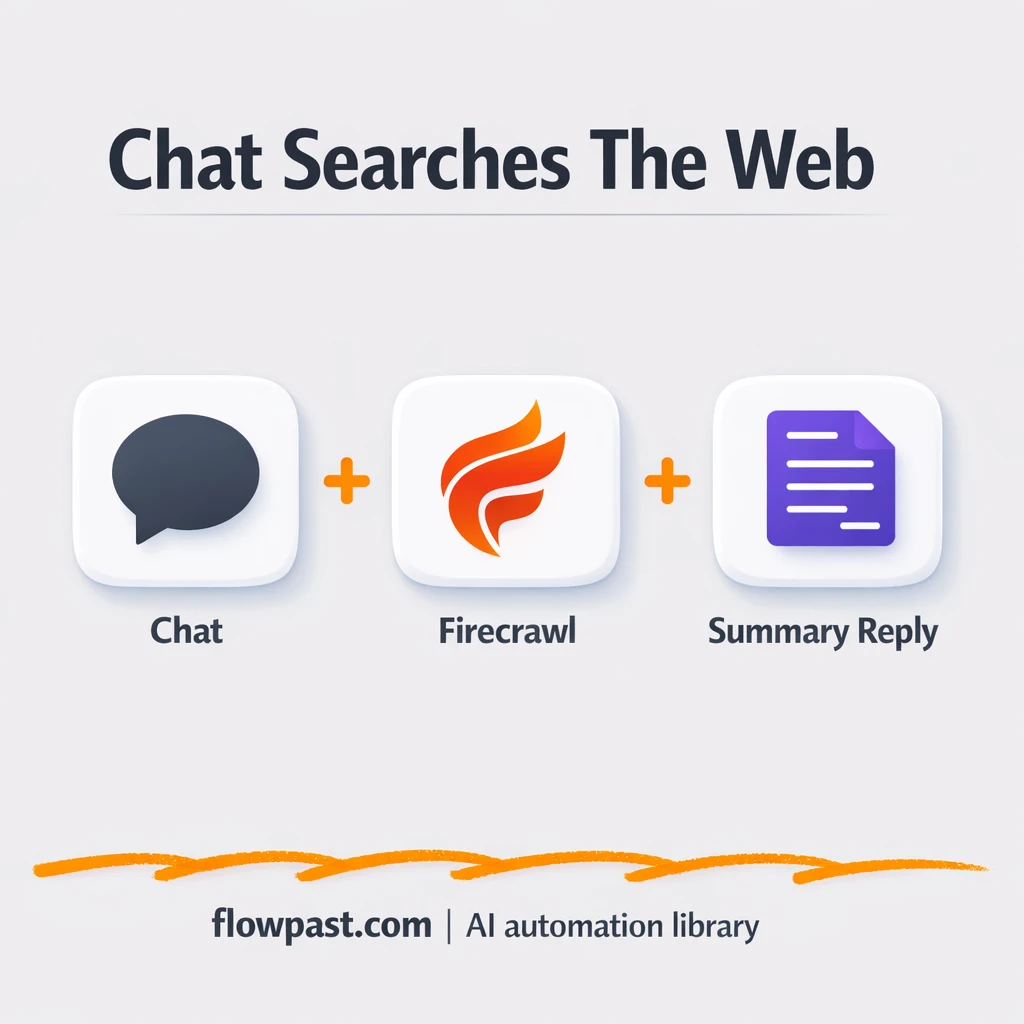

Your inbox gets the same “quick question” 20 times a day. Not hard questions. Just the kind that force you to open five tabs, skim, copy links, and then rewrite the answer so it sounds like your brand.
This Firecrawl Intercom automation hits support leads first, honestly. But marketing managers running chat campaigns and founders doing their own customer replies feel it too. The outcome is simple: faster, cleaner responses with sources, without your team doing manual web research every time.
Below you’ll see how the workflow works, what results to expect, and what you need to launch it in n8n.
How This Automation Works
The full n8n workflow, from trigger to final output:
n8n Workflow Template: Firecrawl + Intercom: clean web research replies
flowchart LR

    subgraph sg0["Receive chat message Flow"]
        direction LR
        n4@{ icon: "mdi:play-circle", form: "rounded", label: "Receive chat message", pos: "b", h: 48 }
        n5["<div style='background:#f5f5f5;padding:10px;border-radius:8px;display:inline-block;border:1px solid #e0e0e0'><img src='https://flowpast.com/wp-content/uploads/n8n-workflow-icons/httprequest.dark.svg' width='40' height='40' /></div><br/>Query search server (HTTP)"]
        n6@{ icon: "mdi:robot", form: "rounded", label: "Reply to the user in the chat", pos: "b", h: 48 }
        n7@{ icon: "mdi:cog", form: "rounded", label: "Terminate interface flow", pos: "b", h: 48 }
        n8["<div style='background:#f5f5f5;padding:10px;border-radius:8px;display:inline-block;border:1px solid #e0e0e0'><img src='https://flowpast.com/wp-content/uploads/n8n-workflow-icons/code.svg' width='40' height='40' /></div><br/>Format search response (Pyth.."]
        n9@{ icon: "mdi:swap-vertical", form: "rounded", label: "Define constants", pos: "b", h: 48 }
        n9 --> n5
        n4 --> n9
        n5 --> n8
        n6 --> n7
        n8 --> n6
    end

    subgraph sg1["Flow 2"]
        direction LR
        n0["<div style='background:#f5f5f5;padding:10px;border-radius:8px;display:inline-block;border:1px solid #e0e0e0'><img src='https://flowpast.com/wp-content/uploads/n8n-workflow-icons/webhook.dark.svg' width='40' height='40' /></div><br/>Receive search query"]
        n1@{ icon: "mdi:location-exit", form: "rounded", label: "Search the web (Firecrawl)", pos: "b", h: 48 }
        n2["<div style='background:#f5f5f5;padding:10px;border-radius:8px;display:inline-block;border:1px solid #e0e0e0'><img src='https://flowpast.com/wp-content/uploads/n8n-workflow-icons/webhook.dark.svg' width='40' height='40' /></div><br/>Answer search query"]
        n3@{ icon: "mdi:cog", form: "rounded", label: "Terminate service flow", pos: "b", h: 48 }
        n2 --> n3
        n0 --> n1
        n1 --> n2
    end

    subgraph sg2["Manual Flow"]
        direction LR
        n10@{ icon: "mdi:play-circle", form: "rounded", label: "Manual Trigger", pos: "b", h: 48 }
        n11@{ icon: "mdi:location-exit", form: "rounded", label: "Verify Firecrawl Account Cre..", pos: "b", h: 48 }
        n12@{ icon: "mdi:cog", form: "rounded", label: "Terminate Monitor Flow", pos: "b", h: 48 }
        n10 --> n11
        n11 --> n12
    end

    %% Styling
    classDef trigger fill:#e8f5e9,stroke:#388e3c,stroke-width:2px
    classDef ai fill:#e3f2fd,stroke:#1976d2,stroke-width:2px
    classDef aiModel fill:#e8eaf6,stroke:#3f51b5,stroke-width:2px
    classDef decision fill:#fff8e1,stroke:#f9a825,stroke-width:2px
    classDef database fill:#fce4ec,stroke:#c2185b,stroke-width:2px
    classDef api fill:#fff3e0,stroke:#e65100,stroke-width:2px
    classDef code fill:#f3e5f5,stroke:#7b1fa2,stroke-width:2px
    classDef disabled stroke-dasharray: 5 5,opacity: 0.5
    class n4,n10 trigger
    class n6 ai
    class n5,n0,n2 api
    class n8 code
    classDef customIcon fill:none,stroke:none
    class n5,n8,n0,n2 customIcon
The Problem: Support Chats Turn Into Manual Research
Intercom chat is supposed to shorten the distance between “question” and “answer.” In practice, it often does the opposite. A visitor asks something that needs up-to-date info, you Google it, you click around, and you still end up paraphrasing three sources so the response doesn’t look pasted. Do that a few times and your team’s day gets chopped into tiny, distracting research sessions. The worst part is consistency: two agents can answer the same question with different sources, different tone, and different confidence.
The friction compounds, especially when chat volume spikes.
- Agents lose about 10 minutes per question just finding trustworthy sources.
- Replies end up inconsistent because each person “researches” differently.
- It is easy to forget to include sources, which creates follow-up questions and more back-and-forth.
- No one notices Firecrawl credit usage until things start failing.
The Solution: Intercom Questions → Firecrawl Search → Clean Reply
This workflow turns a messy “let me look that up” moment into a repeatable, branded response loop. When someone asks a question in your Intercom chat widget, n8n captures the message and passes it into your search flow. That query is forwarded via an HTTP request to a webhook endpoint in n8n, which then calls Firecrawl to run the web lookup. Instead of dumping raw search output into chat, the workflow formats results into a tight Markdown summary with separators and source links. Finally, it sends that clean summary back into Intercom as the reply, so your visitor gets an answer that reads like you wrote it (and includes citations).
It starts with the chat trigger, routes the query through your configured webhook, and pulls in web results through Firecrawl. Then a code-based formatter turns “raw” into readable, and the chat node posts the final message back to the conversation. There’s also an optional manual path to check Firecrawl credits, so you can monitor usage before it becomes a problem.
What You Get: Automation vs. Results
| What This Workflow Automates | Results You’ll Get |
|---|---|
|
|
Example: What This Looks Like
Say your team answers 15 research-y Intercom questions a day. Manually, if each one takes about 8 minutes to search, skim, and rewrite with a link, that’s roughly 2 hours of scattered effort. With this workflow, the agent only submits the question (or it’s captured automatically), waits maybe a minute for the lookup and formatting, and sends it. You still review when it matters, but you’ve cut the “tab juggling” down to near zero.
What You’ll Need
- n8n instance (try n8n Cloud free)
- Self-hosting option if you prefer (Hostinger works well)
- Intercom to capture and send chat messages.
- Firecrawl for live web search and extraction.
- Firecrawl API key (get it from your Firecrawl dashboard).
Skill level: Intermediate. You’ll copy API keys, confirm webhook URLs, and tweak a formatter if you want a specific output style.
Don’t want to set this up yourself? Talk to an automation expert (free 15-minute consultation).
How It Works
A visitor asks a question in Intercom chat. The Chat Intake Trigger captures the message so n8n has the exact text, right when it arrives.
Your workflow initializes the right settings. The “Initialize Config Values” step sets constants like your n8n base URL and the webhook path, which keeps the rest of the flow predictable.
The query is sent out and researched. An HTTP request forwards the prompt into the workflow’s webhook, Firecrawl runs the web lookup, and n8n receives the raw results back.
The answer is formatted and returned to the chat. A code step converts the raw results into clean Markdown blocks with separators and sources, then the Send Chat Reply node posts it to the conversation.
You can easily modify the output format to match your brand voice based on your needs. See the full implementation guide below for customization options.
Step-by-Step Implementation Guide
Step 1: Configure the Chat Trigger
Set up the public chat interface that initiates searches from user input.
- Add and open Chat Intake Trigger.
- Set Public to
trueso users can access the chat. - Set Initial Messages to
🤖 Olá! Como posso ajudar você hoje?. - Optionally customize the chat UI in Options (title, subtitle, CSS) to match your branding.
Step 2: Configure the Webhook Trigger
This webhook receives the outbound search request and feeds it into the Firecrawl lookup.
- Add and open Inbound Search Webhook.
- Set HTTP Method to
POST. - Set Path to
620a78d5-00a6-4a05-9587-837a8d23ef7c. - Set Response Mode to
responseNodeso Return Search Response can send the reply.
Step 3: Set Up Configuration Values
Define the webhook URL used by the outbound request to reach the search endpoint.
- Open Initialize Config Values.
- In Assignments, set webhookUrl to your live endpoint, e.g.
https://your-n8n-instance/webhook/[YOUR_ID]. - Confirm Initialize Config Values connects to Outbound Search Request as shown in the workflow.
Step 4: Connect Firecrawl Search
Configure Firecrawl to execute the web search and return results to the webhook response.
- Open Firecrawl Web Lookup and set Operation to
search. - Set Query to
={{ $json.body.consultaPesquisa }}. - Credential Required: Connect your firecrawlApi credentials in Firecrawl Web Lookup.
- Confirm Firecrawl Web Lookup outputs to Return Search Response.
Step 5: Configure Outbound Request and Response Formatting
Send the chat input to the webhook, format results, and reply back to the user.
- Open Outbound Search Request and set URL to
={{ $json.webhookUrl }}. - Set Method to
POSTand enable Send Body. - In Body Parameters, add consultaPesquisa with value
={{ $('Chat Intake Trigger').item.json.chatInput }}. - Open Format Search Results and keep Language as
pythonwith the provided formatting script to produceoutput. - Open Send Chat Reply and set Message to
={{ $json.output }}.
output_text construction.Step 6: Add the Credit Check Utility Flow
This optional path lets you manually check Firecrawl team credit usage.
- Open Manual Start Trigger to use it for manual checks.
- Open Check Firecrawl Credits and set Operation to
teamCreditUsage. - Credential Required: Connect your firecrawlApi credentials in Check Firecrawl Credits.
- Confirm Check Firecrawl Credits connects to Finish Credit Check.
Step 7: Test and Activate Your Workflow
Validate both the chat-driven search flow and the optional credit check, then activate the workflow.
- Click Test Workflow and start with Chat Intake Trigger to submit a sample query.
- Confirm Outbound Search Request calls the webhook and Return Search Response returns data.
- Verify Format Search Results outputs a formatted
outputand Send Chat Reply posts it to the chat. - Optionally run Manual Start Trigger to confirm Check Firecrawl Credits succeeds.
- Once successful, toggle the workflow to Active for production use.
Common Gotchas
- Firecrawl credentials can expire or need specific permissions. If things break, check the Firecrawl API key in n8n’s Credentials and your Firecrawl dashboard usage page first.
- If you’re using Wait nodes or external rendering, processing times vary. Bump up the wait duration if downstream nodes fail on empty responses.
- Default prompts in AI nodes are generic. Add your brand voice early or you’ll be editing outputs forever.
Frequently Asked Questions
About 30 minutes if you already have Intercom and Firecrawl accounts.
No. You’ll connect credentials and paste in the right webhook URL. If you want to change the Markdown formatting heavily, a tiny bit of comfort editing a code block helps.
Yes. n8n has a free self-hosted option and a free trial on n8n Cloud. Cloud plans start at $20/month for higher volume. You’ll also need to factor in Firecrawl usage costs based on your plan and credits.
Two options: n8n Cloud (managed, easiest setup) or self-hosting on a VPS. For self-hosting, Hostinger VPS is affordable and handles n8n well. Self-hosting gives you unlimited executions but requires basic server management.
Yes, and it’s one of the best parts. You can change the “Format Search Results” code step to output shorter blurbs, longer summaries, or a strict template (headline, bullets, sources). Many teams also adjust the “Initialize Config Values” step to swap webhook paths between staging and production, and they tune the chat reply text in the “Send Chat Reply” node to match brand tone.
Most of the time it’s an expired or incorrect API key in n8n Credentials. It can also be credit exhaustion, which looks like “random” failures until you check usage. If the key is fine, review the webhook URL you set in “Initialize Config Values” because a wrong base URL can break the chain before Firecrawl even runs.
On n8n Cloud Starter, you can run a few thousand executions per month, and higher plans handle more. If you self-host, there’s no execution cap, but your server resources and Firecrawl credits become the real limit. In practice, this workflow handles typical small-business chat volume easily, and you’ll notice Firecrawl credits long before n8n becomes the bottleneck.
Often, yes, because you can shape the logic and formatting without paying extra for every branch. n8n also gives you a clean path to self-host, which matters when chat volume grows. Another big win is control: webhook routing, custom formatting code, and optional credit checks can live in one workflow instead of being split across multiple zaps/scenarios. Zapier or Make can still be fine for a basic “question in → answer out” prototype. If you want help picking the simplest route, Talk to an automation expert.
Once this is running, web research stops being a hidden tax on your support team. The workflow handles the repetitive lookup and formatting so you can focus on the conversations that actually need a human.
Need Help Setting This Up?
Our automation experts can build and customize this workflow for your specific needs. Free 15-minute consultation—no commitment required.
